Keep your own inbox
Read and answer business email in the personal inbox you already use, on your phone and your computer. It works with any email provider.
Business email forwarding, with replies
Email sent to info@yourbusiness.com arrives in your personal inbox. Press Reply, and your answer goes out from info@yourbusiness.com. No new app, no extra password, no POP or IMAP settings.
In your personal inbox
What Maria receives when you reply
Your personal address stays private. Maria sees only your business address.
Read and answer business email in the personal inbox you already use, on your phone and your computer. It works with any email provider.
No POP, IMAP or SMTP settings, no webmail to log in to, no extra password. You receive, you press Reply, and that is all.
Senders and replies are verified, limits stop misuse, and message content is not kept. The few things we have to hold for a while are encrypted.
When a message is over 5 MB, its attachments become secure download links that work for 14 days. This works in both directions.
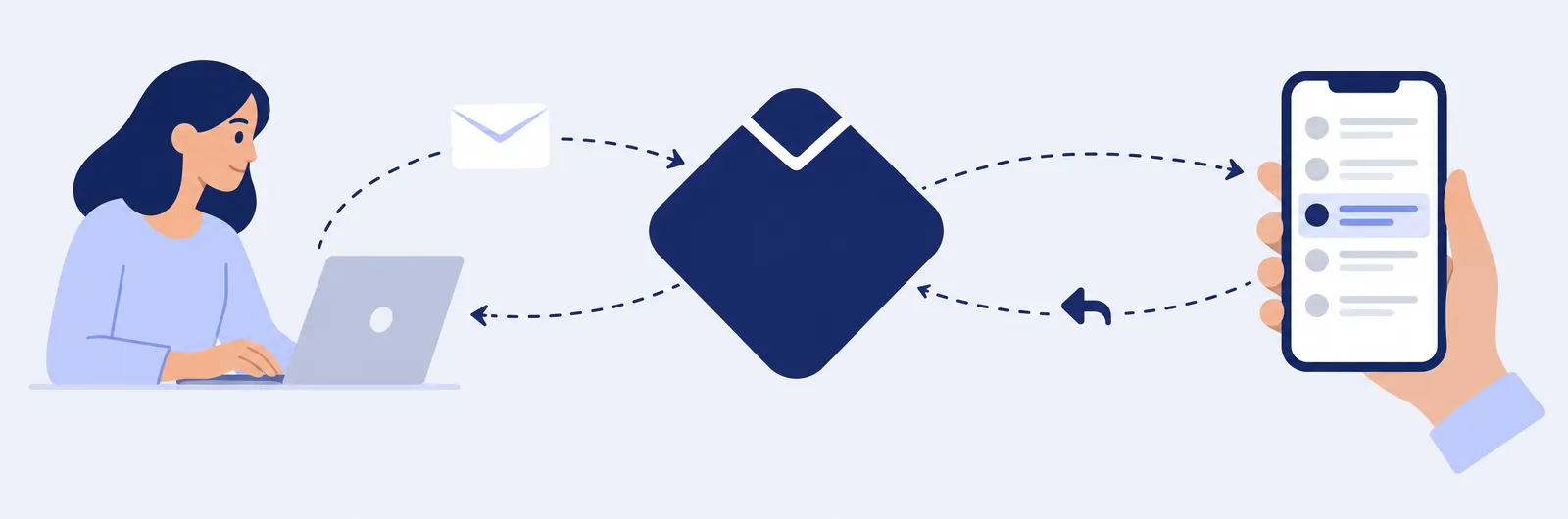
A customer, supplier or partner sends an email to info@yourbusiness.com, as usual.
The message is checked and delivered to your personal inbox, with the sender’s name and address shown clearly.
Write your answer in the email app you already use. You do not need to change anything.
Your contact receives the answer from info@yourbusiness.com. Your personal address is not shown.
For shops, practices, freelancers and small teams who want a professional address on their own domain, without running a separate mailbox.

Write to us with your domain name and the personal address you want to use. We will tell you how to get started.